
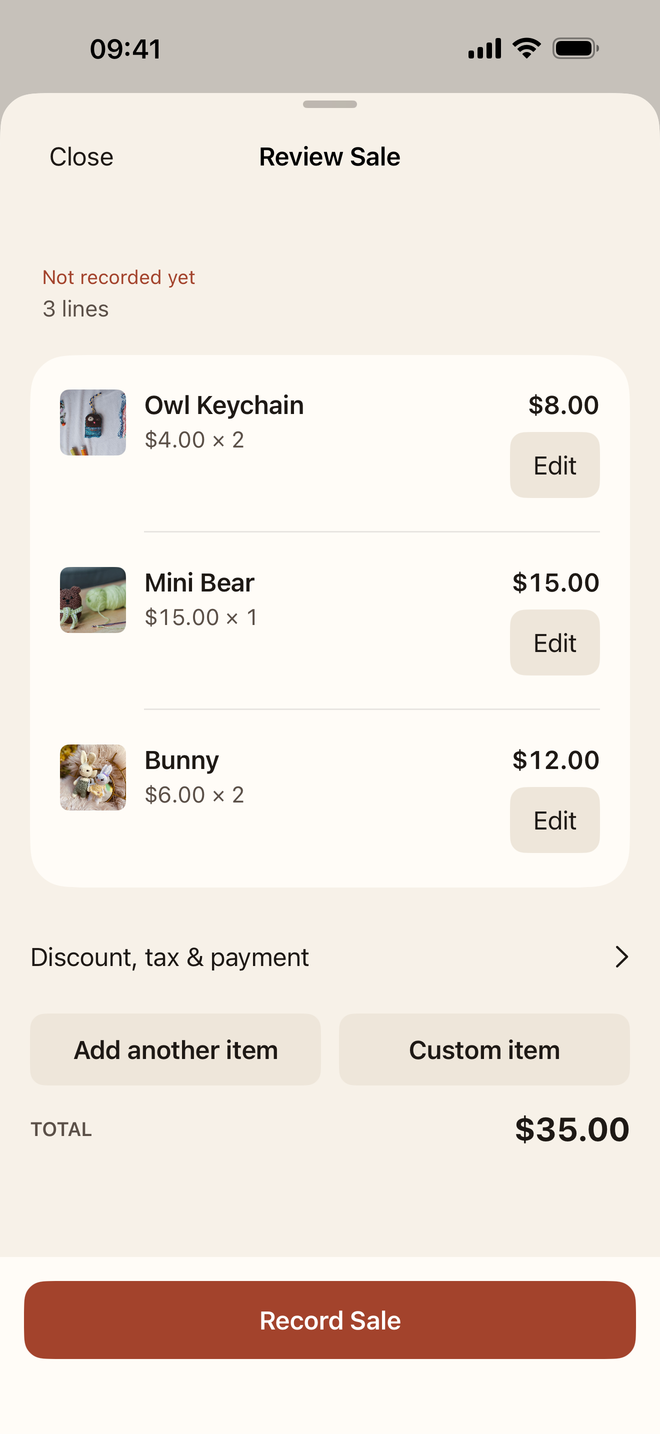
Record the whole sale
Add several items, adjust quantities and prices, apply a discount or tax, and record cash, card or split payment details. Take the payment your usual way.


Record what sold, track what’s left and check your totals after the market. BoothTap works offline and keeps your records on your iPhone.
For iPhone with iOS 17 or later. Free includes 100 active products and unlimited Daily and Event sessions. Optional Pro is a one-time purchase at the price shown in your region.
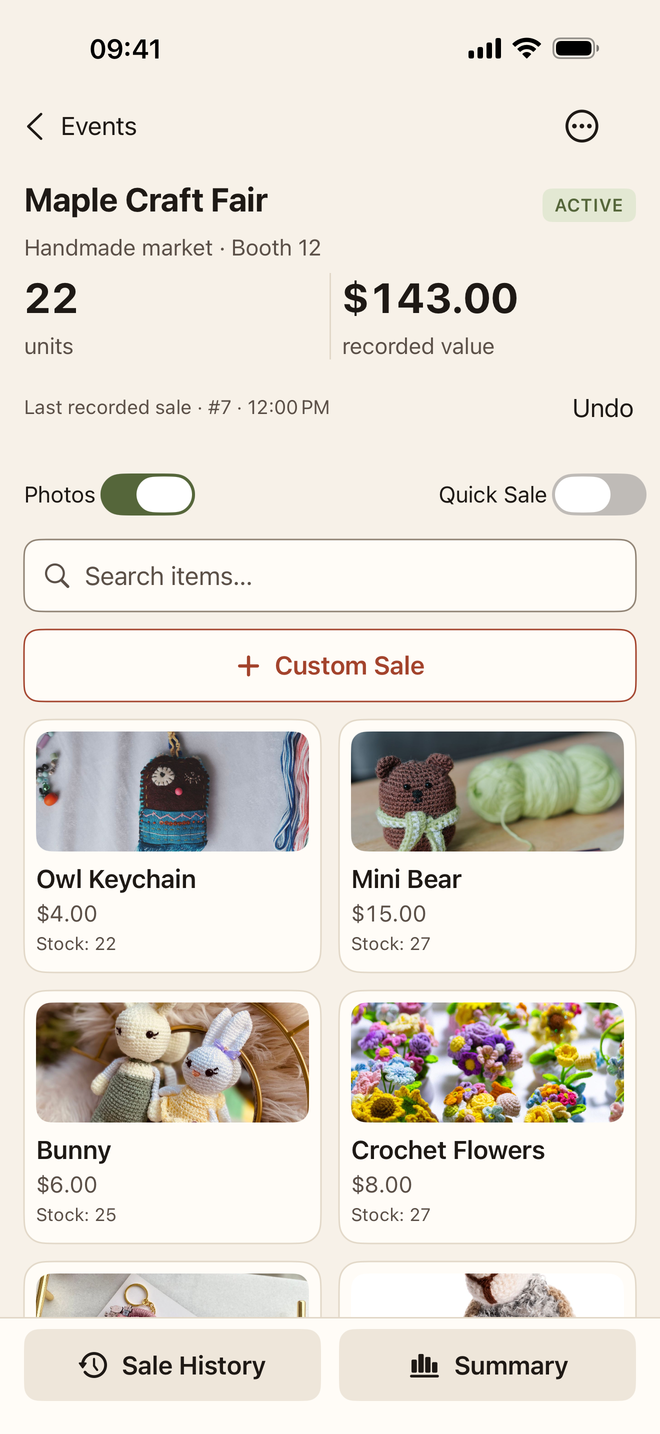
Add products and photos, enter tracked stock, and choose a collection for your Event.
Review a basket with several items or switch on Quick Sale for one-unit taps. Take payment your usual way.
Review Sale History and Summary, check your cash and card totals, then export your session as CSV.
Use BoothTap when you sell from one iPhone and want a product catalog, stock counts and a record of cash, card or mixed payments. Your selling records work offline, with no BoothTap account. Keep taking payments through your usual service.
Need shared stock across devices, an online-shop connection or card processing? BoothTap does not provide those connections. Its stock count belongs to the catalog, rather than a separate allocation for each event.
A little less to think about
Add several items, adjust quantities and prices, apply a discount or tax, and record cash, card or split payment details. Take the payment your usual way.
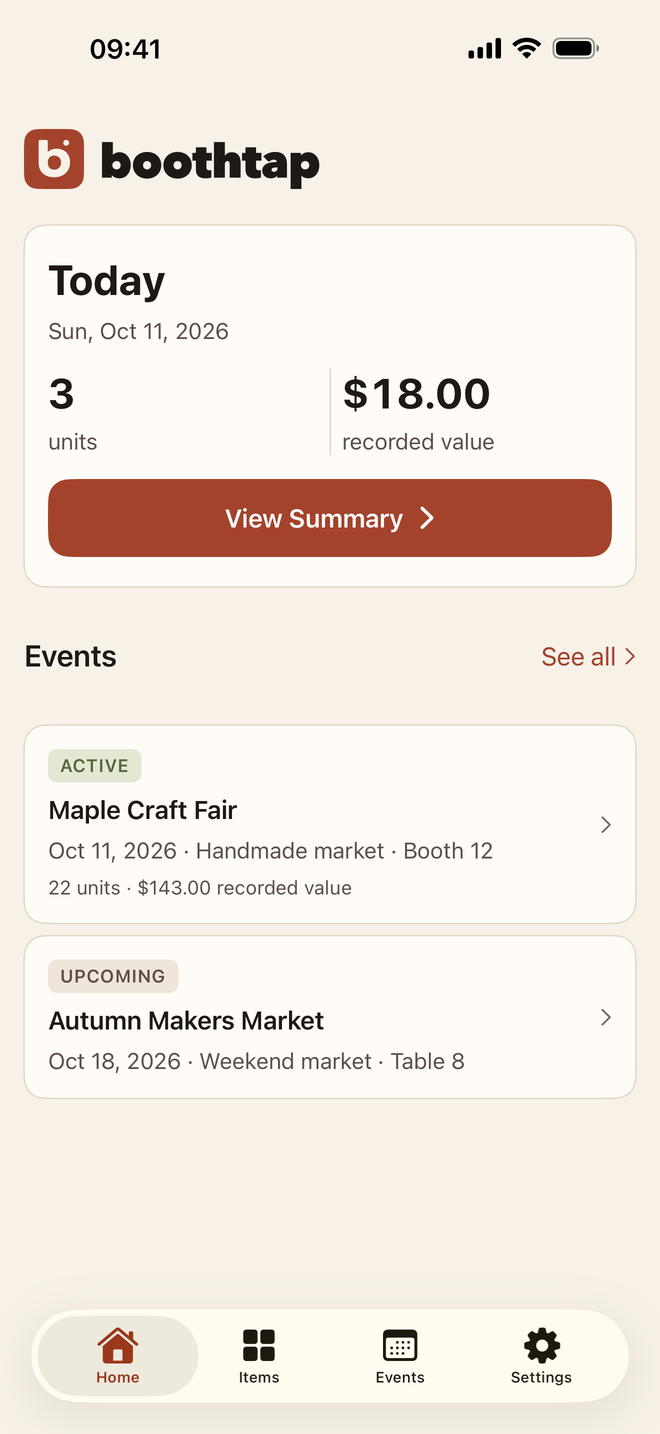
Track an ordinary day or prepare an event with its own dates, products and prices. Choose a basket review for mixed orders, or turn on Quick Sale to record one unit with a tap. Search stays visible while you scroll through a long product list.
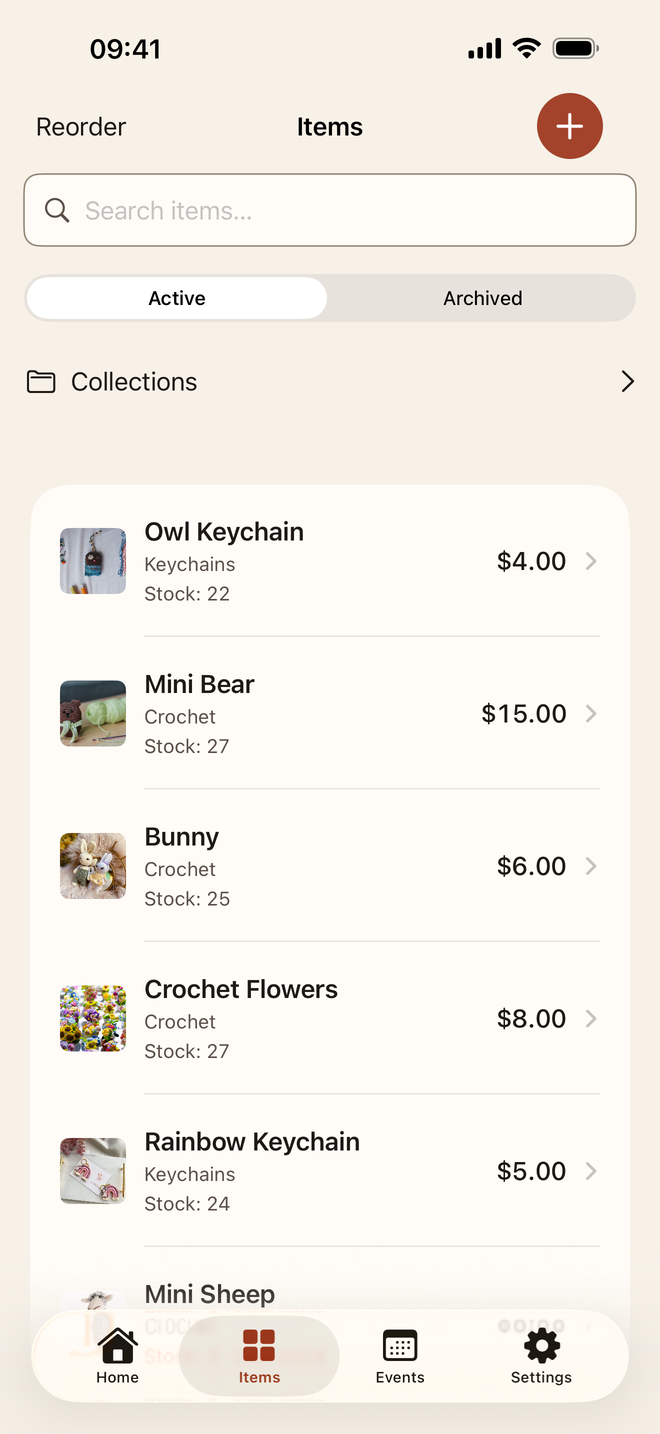
Track stock per product, set low-stock warnings and review adjustments. Recorded and corrected sales update your tracked stock. Count what comes home with the inventory sheet.
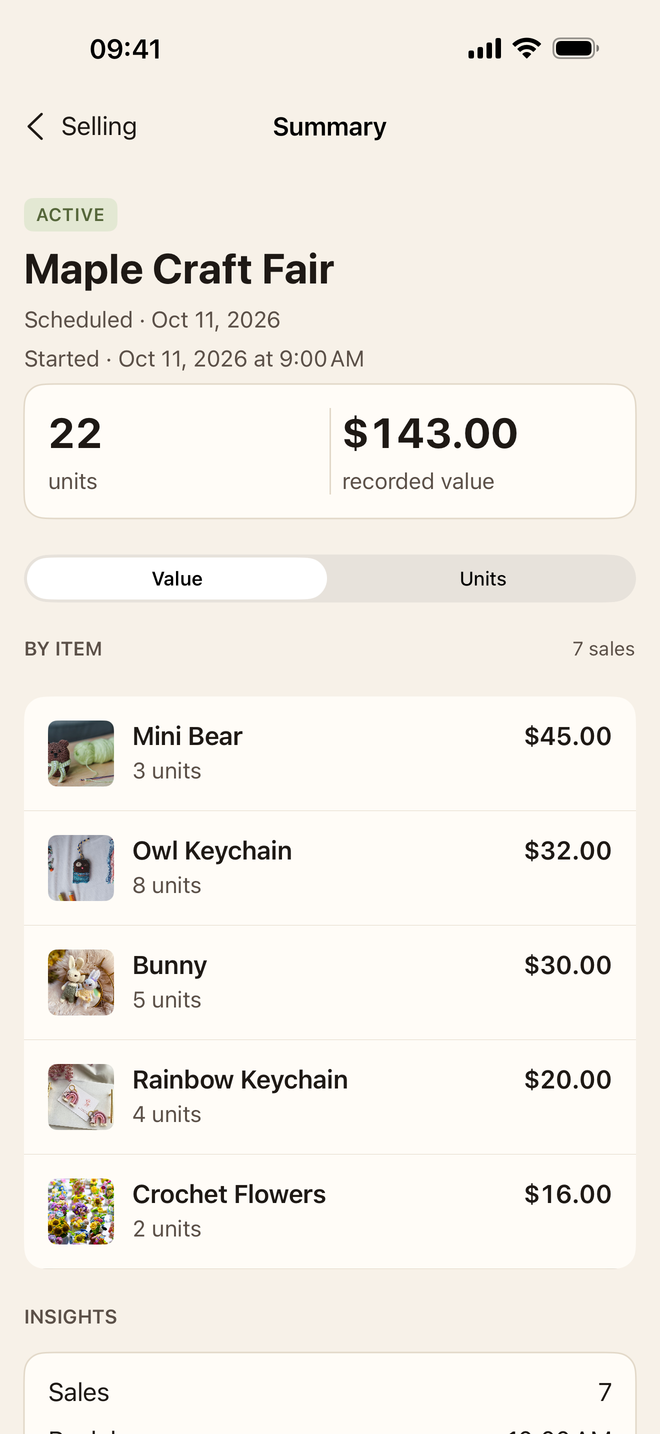
The day, at a glance
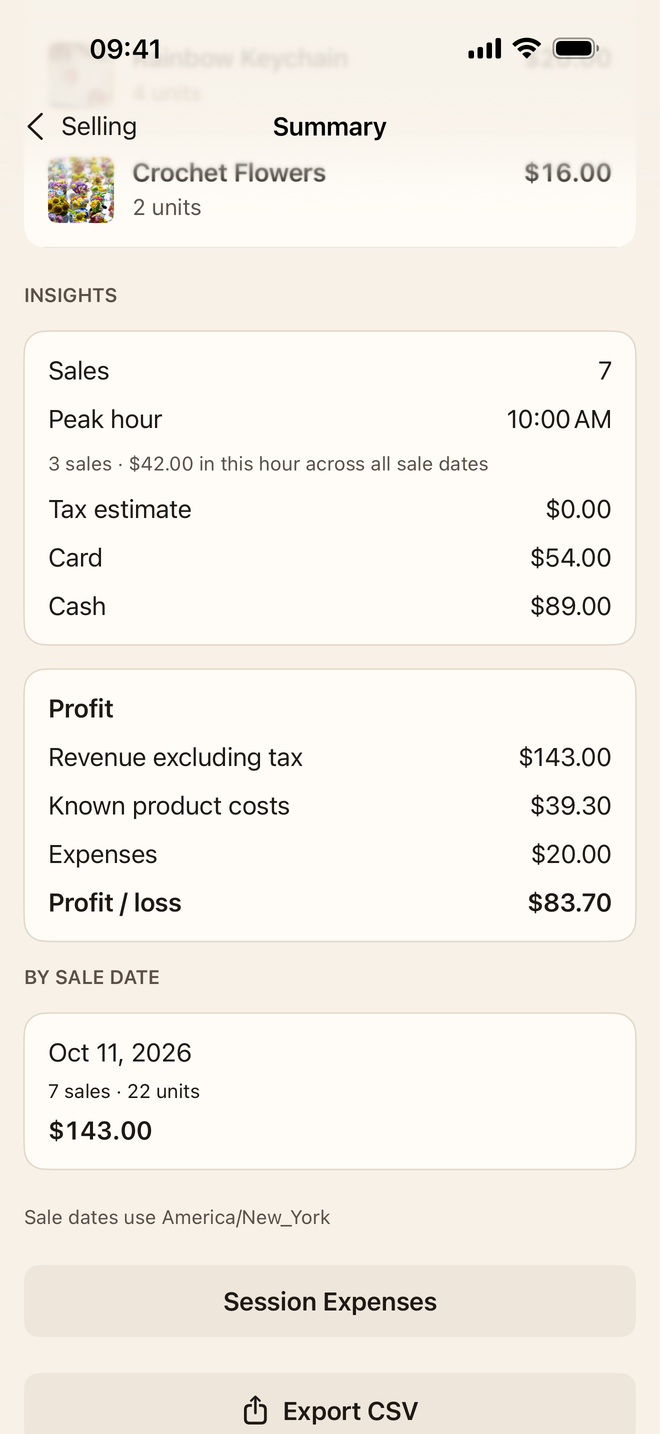
See units sold, revenue by item and a payment breakdown. Export a session as CSV. Pro adds unit costs, event expenses, profit estimates and reports across sessions; missing costs are clearly marked. Understand a profit estimate with the worksheet.
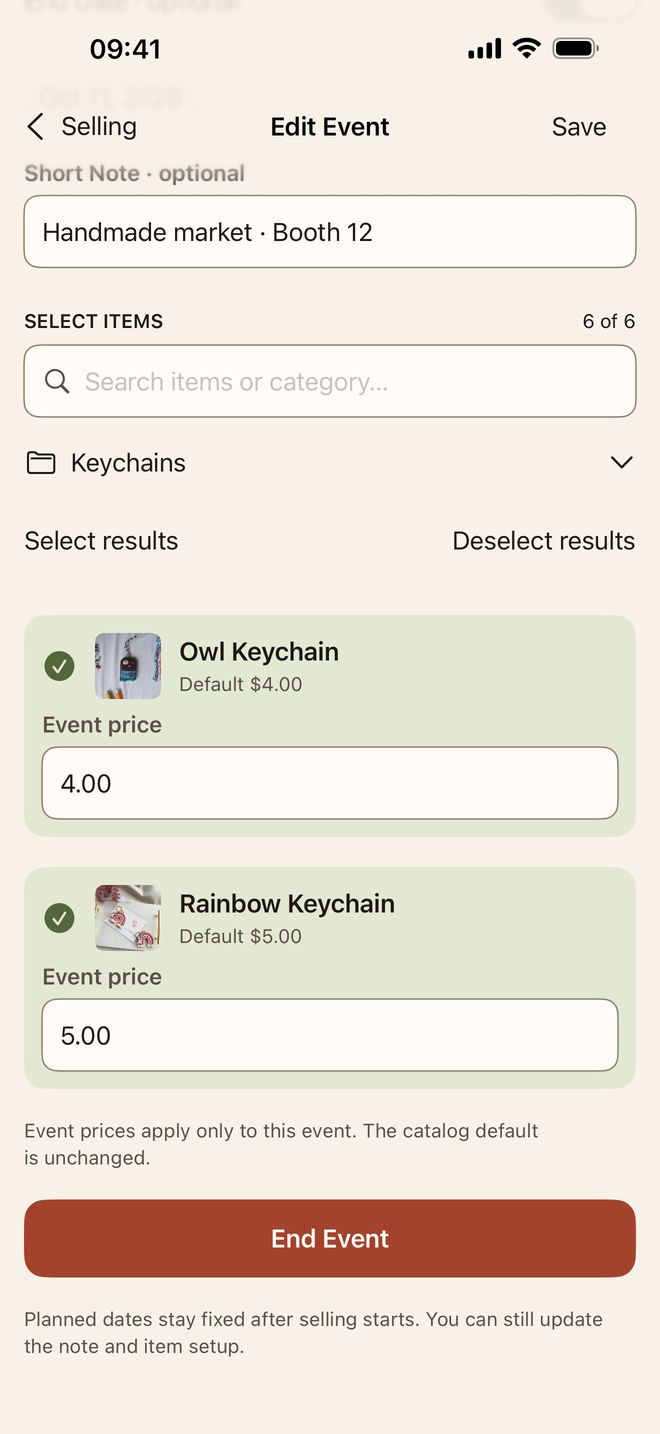
Build named collections for a market, a gift range, or a smaller table. An item can belong to several collections.
When creating or editing an event, search by item name or category, filter a collection, and select the whole group. Products outside your search keep their selections and event prices.
Track stock with optional low-stock thresholds and an adjustment history. Keep customer requests with a product and optional contact details, all on your device.
BoothTap Pro · One-time purchase
Add product costs and event expenses to understand what a market earned. Missing costs are clearly marked, so you can see when an estimate is incomplete.
Business Insights brings together reports across sessions, top-selling products and comparisons. Pro also includes unlimited active products and catalog import from CSV.
BoothTap requires no account, has no ads, and uses no third-party analytics or tracking. Your records stay on your device. Create a full backup with photos, collections, stock and sales, then save it somewhere you choose. No BoothTap cloud account is needed.
Read our privacy policyKeep using it, day after day.
One-time purchase. No subscription.
The App Store displays your local price before purchase. Previous verified Unlimited Selling buyers retain Pro access.
Keep a sale log you can reconcile, count what comes home and separate the event’s revenue from its costs. Our guides include worked examples you can use with paper or a spreadsheet.
Browse the market day guidesA few useful answers
BoothTap is available on the App Store for iPhone. It requires iOS 17 or later.
BoothTap records the payment method, including split payments, but does not charge cards or move money. Keep using cash, your card reader, or another payment service.
BoothTap tracks product stock locally on your iPhone, with low-stock thresholds and adjustments. Tracked stock updates when you record or correct sales. It does not automatically sync with an online shop or another device.
Yes. Sale logging and local records work offline. App Store purchases and Restore Purchases may need an internet connection.
No.
Your records are stored locally on your iPhone. Full backup files include photos and app records. CSV export is useful for spreadsheets; it does not replace a full backup. Restore a full backup into an empty app.
Yes. Use Daily selling for regular sales or Events for fairs, markets, and pop-ups.